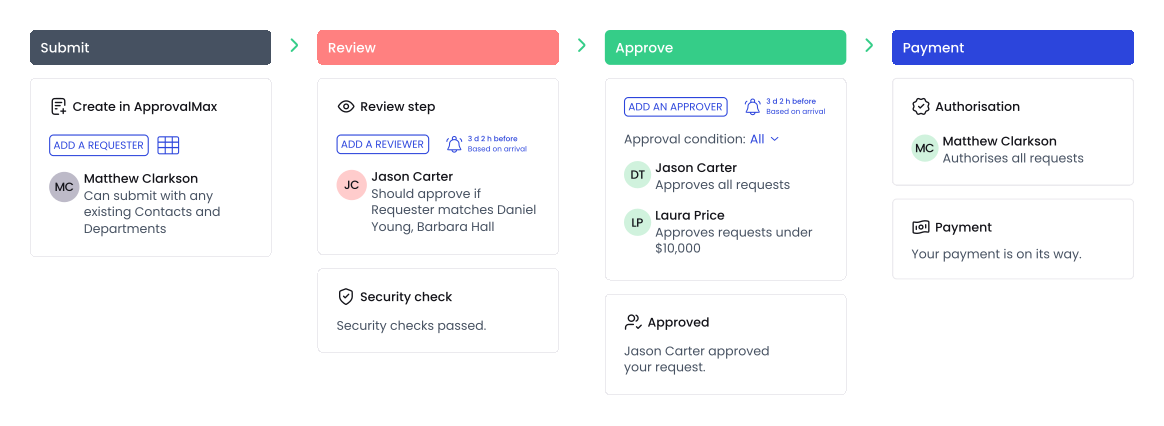

However, there’s always a risk that the actual invoice sent by the supplier does not match the purchase order, which is why it should go through the approval process as well before it gets paid. You can attach a PDF or an image of the supplier’s invoice after you copied the respective purchase order. The approver then sees the supplier’s invoice as well as the bill copied from the purchase order and can compare them in side-by-side view.
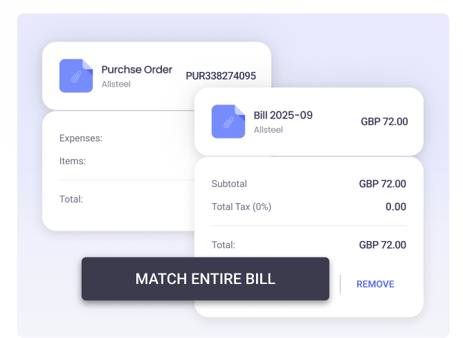
There’s an additional feature for comparing Xero purchase order and bills, called matching. It enables linking bills to already approved purchase orders for enhanced spend control.
Currently, matching is not available for QuickBooks Online. However, it’s possible to upload an approved purchase order to a new bill, so that approvers have it as a reference and can compare both bill and purchase order side by side.