Benefits of expense management software
- The core benefits of expense management software at a glance
- What is expense management software?
- How expense management software changes the expense workflow
- Benefits of expense management software
- Benefits by role
- What features actually drive these benefits
- A quick self-check: is expense management software worth it for you?
- Final thoughts
- FAQs
Is your team spending too much time chasing receipts, nudging approvals or fixing expense issues at month-end? As your team becomes more distributed or transaction volumes rise, the cracks can start to appear when it comes to manual work.
You might already be thinking about expense management software, but aren’t quite sure what it would actually change or where to begin. Expense management software handles how expenses are submitted, checked, approved and recorded. It automates receipts, applies policy rules, routes approvals and sends accurate data to accounting systems.
For finance teams, this replaces a familiar set of problems: missing receipts, approvals without context, slow reimbursements and last-minute clean-up during close.
When this work is automated, workflow cycle times can drop by as much as 77%. In this article, we’ll explain how expense management software creates real benefits inside day-to-day finance workflows. We’ll focus on what really changes when expenses stop living in inboxes and spreadsheets.
• Fewer manual handoffs across the expense process
• Less time spent chasing receipts and approvals
• Fewer errors caused by rekeying and late corrections
• Faster approvals without relying on inbox follow-ups
• Faster, more predictable reimbursements
• Real-time visibility into submitted and pending spend
• Stronger policy compliance applied at submission
• Clear audit trails attached to every expense
• A process that scales as volume and teams grow
What is expense management software?
Expense management software is a system that manages how employee expenses are submitted, checked, approved and recorded. Instead of relying on emails, spreadsheets or manual follow-ups, it applies clear rules to capture receipts, validate claims and route approvals automatically.
How expense management software changes the expense workflow
Understanding the workflow matters because the benefits only make sense once you see what actually changes behind the scenes. Most improvements don’t come from individual features, but from changing when checks happen, how approvals flow and how data moves through the process. Here’s a breakdown of the difference between manual and automated workflows, so the impact on time, control and visibility is easier to see.
The traditional expense process
In a manual setup, expenses often arrive late or incomplete. Receipts sit in wallets or inboxes and employees submit claims in spreadsheets or emails. Managers also approve without full context, while finance rekeys data, fixes errors and applies policy checks after posting.
This works at low volume, but it breaks under higher volume and complexity. As claims increase or approvals spread across teams, delays stack up. Corrections spill into month-end and visibility drops. This isn’t because people are careless, but because the process relies on memory and follow-ups.
The automated expense process
The flow changes with expense management software. Expenses can be captured digitally, checked against policy upfront, routed for approval with context and synced to accounting systems once approved.
There are fewer handoffs and earlier checks. Receipts stay attached, coding follows rules and finance reviews exceptions instead of every claim. The result isn’t just speed; it’s a process that stays stable as volume and complexity increase.
The real benefits of expense management software
The benefits below come from what finance teams actually see day to day, not from feature lists or marketing claims. They are practical changes you’ll start to notice in your daily work, from fewer follow-ups and cleaner data to better control as volume grows. Each benefit covers not just what improves, but how and why it shows up in real workflows.
Less administrative work for employees and finance teams
The benefits below come from what finance teams actually see day to day, not from feature lists or marketing claims. They are practical changes you’ll start to notice in your daily work, from fewer follow-ups and cleaner data to better control as volume grows. Each benefit covers not just what improves, but how and why it shows up in real workflows.
Improved accuracy and fewer expense errors
Errors disappear at the point they usually start. Required fields, receipt checks and duplicate detection happen during submission, not after posting. Because expenses don’t get retyped at each step, coding stays consistent and downstream corrections become the exception rather than the norm.
Faster approvals and reimbursements
Approvals move faster because routing is clear. Claims go to the right person based on role or value, with receipts and context included. Delegation and escalation remove inbox bottlenecks. Reimbursements also speed up not because people rush, but because the process stops stalling.
Real-time visibility into company spending
Manual processes show spend after the fact – but expense management software shows what’s submitted, approved and pending right now. This means finance can see commitments before they hit the ledger, and managers understand where team spend is heading – not just where it landed at month-end.
Stronger policy compliance without slowing people down
Policy checks happen when expenses are submitted rather than weeks later. That prevents retroactive rejections and repeated corrections. Compliance becomes proactive rather than reactive. Most claims move through cleanly, while exceptions are visible early.
Fraud and misuse prevention built into the process
Duplicate receipts, unusual activity and missing documentation are flagged automatically, with clear approval records attached. This supports better oversight without adding manual checks.
Cleaner books and easier reconciliations
Duplicate receipts, unusual activity and missing documentation are flagged automatically, with clear approval records attached. This supports better oversight without adding manual checks.
Built-in audit trail and control evidence
Every expense keeps a complete record from start to finish. Receipts, policy checks, and approval details stay linked to each expense, making it clear who approved what and when.
This means finance teams don’t have to piece together decisions afterwards. When auditors or managers ask questions, the evidence is already clear, consistent and easy to trace.
Scales with company growth
As spend increases and teams spread out, the same rules apply automatically. You don’t add more admin to keep control. The benefits compound because the process absorbs volume instead of breaking under it like a manual process might.
Benefits by role — who gains what
The value of expense management software looks different depending on your role.
For finance managers and controllers
- Cleaner data, consistent controls and fewer surprises at close.
- Expenses arrive coded, approved and documented, which reduces adjustments and makes audits easier to manage.
For CFOs and finance leaders
- Earlier visibility into spend and stronger confidence in reporting.
- Risk becomes easier to spot and explain.
- Decisions rely less on assumptions and more on what’s actually in the pipeline.
For approvers and budget owners
- Faster decisions with proper context.
- Receipts, coding and policy flags sit with each claim, so approvals don’t require follow-up questions or guesswork.
For employees
- Clear rules, faster approvals and quicker reimbursements.
- Fewer rejections and less back-and-forth make the process feel fair instead of frustrating.
What features actually drive these benefits
These outcomes don’t appear by accident. They come from a few core capabilities working together in practical ways:
-
Automation and receipt capture remove the need for manual entry at the start. Employees submit once, receipts attach immediately and basic checks happen early before errors can spread.
-
Approval workflows and delegation keep decisions moving. Requests go to the right person with context, so approvals happen without inbox chasing or constant follow-ups.
-
Policy rules and controls apply at submission, not after the fact. This prevents out-of-policy claims from moving forward and reduces awkward reversals later.
-
Integrations with accounting systems keep records aligned. Data posts once, flows cleanly into the ledger and cuts down reconciliation work at month-end.
-
Reporting and dashboards surface spend earlier. Finance teams see what’s pending and approved, which supports better decisions before costs are locked in.
A quick self-check: is expense management software worth it for you?
If you’re unsure whether expense management software would actually make a difference, a few practical questions can help clarify where friction exists today:
-
Do reimbursements regularly take longer than expected?
-
Are receipts missing or submitted late?
-
Do policy disputes surface after expenses are posted?
-
Is spend visibility limited until month-end?
-
Does close involve correcting expense data?
-
Are approvals delayed by inbox bottlenecks?
-
Is audit prep more manual than it should be?
If any of these sound familiar, it might be a sign your current process relies too heavily on manual work. Identifying weak spots beforehand is key when deciding what kind of expense management software will help.
Final thoughts
Expense management software tends to pay off in quiet ways. Fewer interruptions, fewer corrections, and fewer decisions made with incomplete information. When expenses move through clear steps with checks applied early, finance teams spend less time fixing issues and more time understanding spend. Over time, that shift changes how predictable and manageable the work actually feels.
How ApprovalMax can help
To make that shift sustainable, the structure behind the process needs to hold up consistently, without adding more manual effort. That’s where ApprovalMax’s expense approval software comes in. It acts as the approval layer that keeps expense workflows controlled and visible as volume grows.
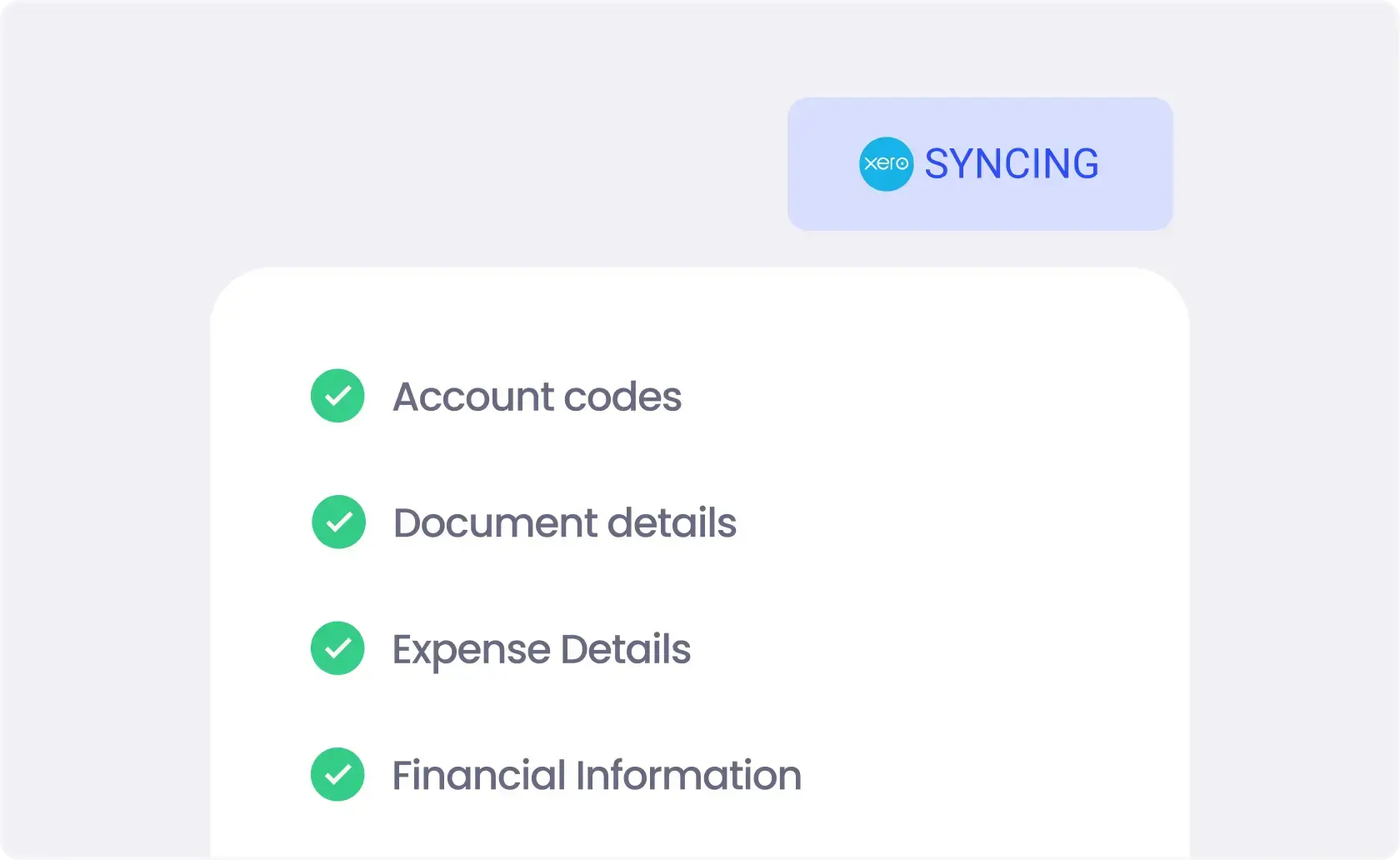
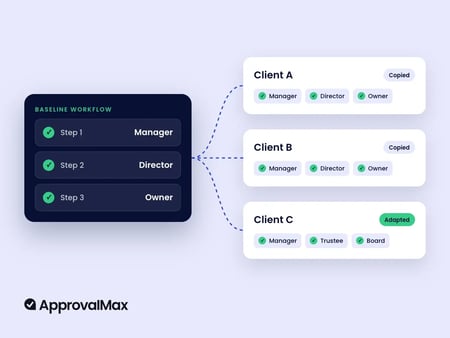
ApprovalMax applies approval rules based on value, role or department, with every decision recorded in a clear audit trail. Expenses only progress once the required approvals are complete, and approved data flows directly into connected accounting systems without rekeying. If you’d like to see how this works in practice, you can explore the workflow with a 14-day free trial.
FAQs
Can expense management software integrate with my existing accounting platform?
Yes. Most expense management software integrates with common accounting platforms so approved expenses post directly to the ledger. This reduces duplicate entry, keeps records aligned, and cuts down reconciliation work at month-end.
Will expense management software help increase profit margins?
Indirectly, yes. By reducing manual work, errors, and policy leakage, finance teams spend less time fixing issues and more time controlling spend. Over time, better visibility and fewer corrections support healthier margins.
What are the key components of an effective expense management system?
An effective system combines expense capture, policy checks, approval workflows, and clean posting to accounting systems. The value comes from these parts working together, not from individual features in isolation.
What are the common challenges faced in expense management, and how can they be addressed?
Common challenges include missing receipts, delayed approvals, inconsistent policy application, and late visibility into spend. These are addressed by applying checks early, routing approvals automatically, and keeping all expense data connected in one workflow.
What are the different types of expense management solutions available to businesses?
Some solutions focus on receipt capture and reimbursements, while others include approvals, policy controls, and accounting integrations. Broader platforms may sit alongside spend management or AP automation to cover different parts of the spend lifecycle.
What features should businesses look for when choosing expense management software?
Look for clear approval workflows, upfront policy checks, strong audit trails, and reliable accounting integrations. The software should match how your team actually works today and scale as volumes and complexity increase.
Ready to Simplify Your Approval Process?
Justin Campbell, an experienced accountant with a decade at Xero, blends his deep understanding of finance and technology to simplify processes. He uses his expertise to help businesses work smarter, bringing precision and innovation to every initiative.
Set up a system of checks and balances for your financial operations.
Multi-step, multi-role approval workflows for financial documents.
Auto-generated audit reports for each approved item.
Get alerts for fraudulent activity and protect against it happening.
Leave printing in the past with fully digitised workflows.