The best QuickBooks Online integrations depend on your plan and your processes, and each has one clear primary job: ApprovalMax for accounts payable (AP) controls, Chaser for collections, Mayday for month-end close, Joiin for reporting, Float for cash forecasts, A2X for ecommerce, Cin7 or Unleashed for inventory, Deputy for timesheets and nettTracker for asset schedules.
QuickBooks Online integrates with over 800 business apps, according to Intuit's integrations page (checked September 2026). For a US finance team, the right shortlist starts with the QuickBooks plan you already pay for: check what its own approval and payment features cover, then decide which gaps need a specialist.
Key takeaways
- Check your native QuickBooks approval and payment controls before paying for software that overlaps them.
- Some ApprovalMax workflows depend on your QuickBooks plan: purchase orders and budgets are only available in QuickBooks Online Plus and Advanced.
- Approval tools control spend before it happens; reporting and forecasting tools explain the financial position afterward.
- Joiin and Float both forecast cash, so check what one already covers before adding the other.
800+
business apps that integrate with QuickBooks Online, per Intuit (Sept 2026)
With that many options, the right shortlist starts with the plan you already pay for, not the app with the loudest marketing.
How we chose these integrations
We build ApprovalMax. It runs alongside QuickBooks Online every day, and several apps on this list connect with it directly or pass records to it through QuickBooks, so we know those handoffs well. Handoffs are where overlapping tools are easiest to spot.
For this guide we mapped the finance workflow from purchase request to management report. Then we looked at the apps for each stage on Intuit's app marketplace and on the vendors' own sites. To make the list, an app had to:
- connect directly with QuickBooks Online
- have a clearly defined primary role in the finance workflow
- publish its features, plan requirements and regional availability, so we could check every claim against the vendor's own documentation
Some apps share ground at the edges. Joiin and Float both forecast cash, and Mayday and nettTracker both handle accruals. Where that happens, we explain how to choose. Where two strong apps do the same job, as with inventory, we name both.
We checked every claim in September 2026 and noted beta features, plan limits and country restrictions where they apply. The guide covers the finance workflow, so CRM, point-of-sale and bank-feed apps are out of scope.
A note on ApprovalMax: it's our product, and it's first on the list. We've described what it covers and what it doesn't, including which plan you need. We also start with what QuickBooks already does on its own.
Which QuickBooks Online integration does which job?
Use this shortlist to identify the work you want to improve. Each app has one primary responsibility, and the sections below call out the QuickBooks plan, country and integration limits that could affect your choice.
| Job |
Specialist |
Consider it when |
| Vendor onboarding, purchasing, AP/AR approvals, capture, expenses and spend control |
ApprovalMax |
More than one person requests or approves spend |
| Credit control and collections |
Chaser |
Late payment is costing you time or cash |
| Month-end close |
Mayday |
Close runs across several entities or takes too long |
| Financial reporting, consolidation and three-way forecasting |
Joiin |
You report on more than one company |
| Operational cash-flow forecasting |
Float |
Short-term cash timing is an active problem |
| Ecommerce accounting |
A2X |
You sell through Amazon, Shopify or other marketplaces |
| Inventory and product operations |
Cin7 or Unleashed |
Stock, warehouses or manufacturing outgrow QuickBooks |
| Workforce scheduling and timesheets |
Deputy |
Hours worked drive payroll |
| Fixed assets and recurring balance-sheet adjustments |
nettTracker |
Asset accounting is a workload of its own |
You may need three of these, or seven. Each subscription you keep should have a job of its own.
Does QuickBooks Online already have bill approvals?
Yes, depending on your plan. Intuit's instructions for QuickBooks Bill Pay Elite describe bill approval workflows with up to 7 approvers per condition and up to 5 sequential approval layers. Workflows can route bills by amount, vendor or location.
Intuit also describes payment-release workflows for Bill Pay Elite or QuickBooks Online Advanced customers. Only admins can approve a release. Bills and payment releases left unreviewed for 30 days are automatically denied (Intuit). If you're on QuickBooks Online Advanced without Bill Pay Elite, check which of these controls your subscription includes.
If those controls cover your process and the right people already have QuickBooks access, they may be enough. A dedicated approval app earns its place when you also need vendor, purchase order, expense and sales invoice approvals, or want budget holders to approve without becoming QuickBooks users. (For the detail, see QuickBooks bill approval workflows: limits and better controls.)
7 approvers, 5 layers — the native ceiling
QuickBooks Bill Pay Elite tops out at 7 approvers per condition and 5 sequential approval layers, and unreviewed bills or payment releases auto-deny after 30 days. Teams that need more people, more steps, or approvals outside QuickBooks altogether typically need a dedicated app.
1. ApprovalMax: connects purchasing, approvals and payment controls
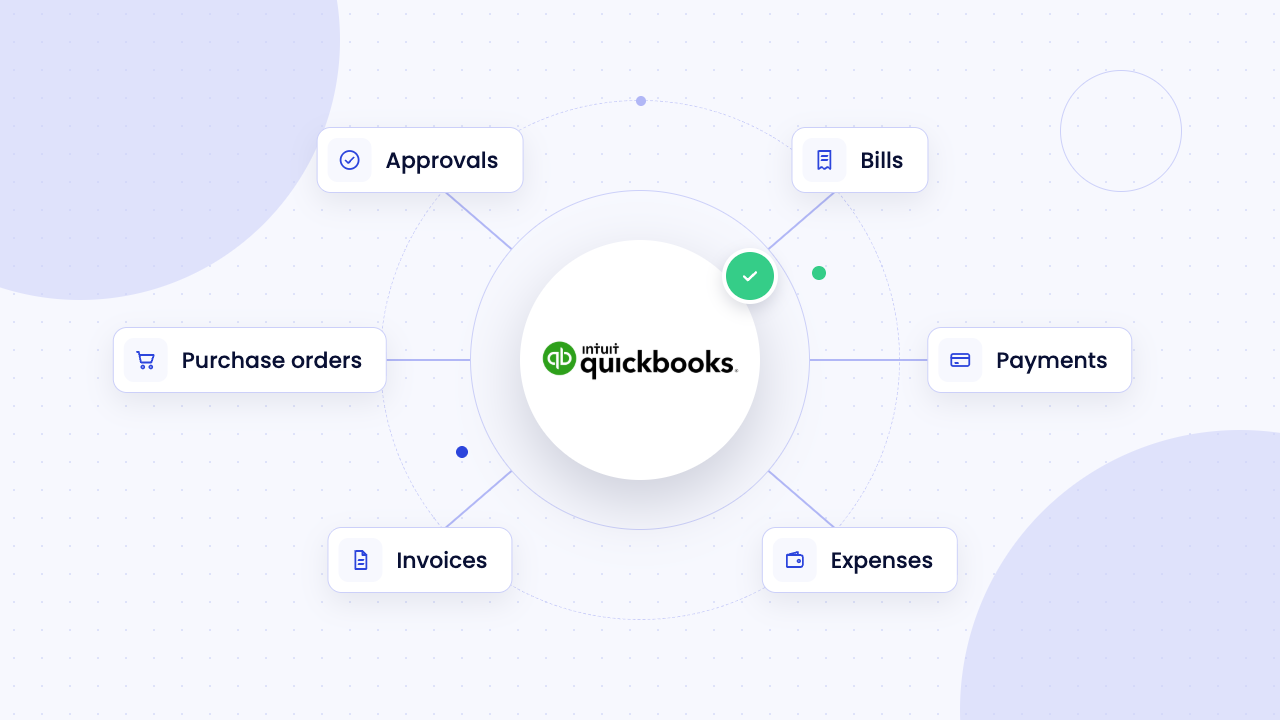
ApprovalMax is accounts payable automation and approval software for QuickBooks Online. You can route vendors, purchase orders, bills, expenses, sales invoices and journal entries for approval, plus standalone requests that never touch the ledger (supported workflows). Vendor approvals, journal entries, Bill-to-PO Matching and Budget Checking start on the Advanced plan; standalone workflows require Premium (ApprovalMax pricing for QuickBooks Online).
Vendors, purchase orders and invoice capture
Being asked to pay a new company and deciding that company should become an authorized vendor are two separate decisions. The ApprovalMax Vendor workflow routes a proposed vendor through multi-step approval before it is created in QuickBooks, and standalone workflows can collect extra onboarding information (vendor approval workflows). Purchase orders then go through approval before the spend is committed, with budget holders working in ApprovalMax rather than QuickBooks. Purchase orders require QuickBooks Online Plus or Advanced (Intuit).
ApprovalMax Capture uses optical character recognition (OCR) to read emailed invoices and expense documents, then creates draft requests for review. Bill-to-PO Matching compares each bill line with approved POs by vendor and Product/Service or Category, and you can adjust matches up to final approval. Since June 26, 2026, Capture can match a bill automatically from the PO reference when the vendor and currency agree. Match-status rules can then approve fully matched bills and route exceptions for review (feature releases; PO matching).
Expenses, budgets and sales invoices
You create expenses in ApprovalMax, optionally pre-filled from receipts by Capture, and send them to QuickBooks after approval. Card issuing, travel and other employee-expense needs may still call for a specialist.
QuickBooks budgets sync into ApprovalMax, so reviewers see the budget position for bills, POs and expenses before they approve. QuickBooks budgeting also requires Plus or Advanced (Intuit pricing).
Your team can create sales invoices in ApprovalMax and route them through multi-step approval before they leave the business. Request and Line Item reports show requests, approvals, line items and controlled spend, with scheduled reports on every plan. Felix Latour of Le Contrôleur, a Quebec accounting firm using QuickBooks Online, puts the result simply: "The time it takes to process all approvals has been reduced to less than half" (customer story).
"Reduced to less than half"
Felix Latour of Le Contrôleur, a Quebec accounting firm on QuickBooks Online, on the time it takes to process all approvals since adopting ApprovalMax.
Payments where supported
ApprovalMax Pay Wallets are available in beta for US businesses connected to QuickBooks Online, and you complete a Wallet onboarding check before your first payment (Wallet availability and setup; US beta details). Pay is on the Premium plan. If you pay through QuickBooks Bill Pay or another service instead, map how approved bills reach payment and who can release the funds.
For the full list of workflows, see how ApprovalMax connects with QuickBooks Online.
2. Chaser: when the invoice is right but the customer still hasn't paid
Once an invoice has gone out, Chaser handles the follow-up. It connects to QuickBooks Online and automates payment chasing by email, SMS and phone, with statements, a customer payment portal and collection workflows (Chaser).
ApprovalMax creates and approves the customer invoice. Chaser manages collection once payment becomes the issue. Both work in accounts receivable, at different points in the invoice's life.
3. Mayday: month-end close is a separate job from AP automation
Month-end brings its own list of tasks to track alongside the accounting work. Mayday covers reconciliations, accruals, prepayments, intercompany activity, deferred revenue, adjusting journals, close tasks and progress tracking. It supports QuickBooks Online and Intuit Enterprise Suite as well as Xero, though Mayday says its QuickBooks feature set is narrower than its Xero one and still expanding (Mayday). Check each close task you plan to move into it.
ApprovalMax makes sure the month's financial activity had the right authority. Mayday helps you reconcile, adjust and close the period that activity produced.
4. Joiin: financial reporting and consolidation after the control layer
For reporting across one company or several, Joiin pulls data from QuickBooks Online, Xero, Sage, FreeAgent and other platforms into single-company, multi-company and consolidated reports (Joiin). On September 4, 2026, it launched linked profit and loss (P&L), balance-sheet and cash-flow forecasting for individual companies and consolidated groups (AccountingWEB, 2026).
ApprovalMax tells you what has been requested, what is waiting for approval and who authorized it. Joiin tells you how the business is performing and what the wider financial position looks like. Their primary roles are different, so many teams need both.
A late customer payment can change the week you expect cash to run low. Float is cash-flow forecasting software for QuickBooks Online and Xero. It builds live forecasts from your bank balances, invoices and bills, with weekly, 13-week and monthly views that extend up to three years. What-if scenarios let you test changes, and the forecasts give early warning of cash shortfalls (Float).
Joiin and Float both cover forecasting, so compare what you need from each before subscribing to both. Float has a distinct role when your finance meetings keep returning to questions like these:
- What if our largest customer pays next month instead of this month?
- When does cash reach its lowest point?
- What happens if we hire now rather than next quarter?
If three-way forecasting already answers what you need to know, a second forecasting app will mostly duplicate it.
6. A2X: keeps raw ecommerce data out of QuickBooks
A marketplace settlement can contain orders, refunds, discounts, fees, taxes and shipping amounts, all landing as one deposit. A2X turns that payout data from Amazon, Shopify, Walmart, Etsy, eBay and PayPal into categorized accounting summaries that reconcile to the settlement you received. It connects to QuickBooks Online, Xero, Sage and NetSuite (A2X).
A2X is one of the apps ApprovalMax works alongside. It handles marketplace accounting; ApprovalMax controls internal purchasing and approvals. Both end up in QuickBooks, from opposite directions.
7. Cin7 or Unleashed: product operations need more than an accounting item list
Warehouses, manufacturing and multi-channel sales call for more than an accounting item list. Cin7 and Unleashed both integrate with QuickBooks Online.
Cin7 Core syncs sales and purchase orders, invoices, stock movements and cost of goods sold (COGS) with QuickBooks across multiple warehouses and channels, and includes bills of materials and assembly. Production and capacity planning come with its optional Advanced Manufacturing add-on (Cin7; Cin7 Core help).
Unleashed covers purchasing and production planning, with single- and multi-level bills of materials, batch and serial tracking and multiple warehouses. Its purchase orders create bills in QuickBooks automatically (Unleashed; Unleashed manufacturing).
Cin7 Core also connects directly with ApprovalMax, so purchase orders raised in Cin7 Core can go through ApprovalMax approval before the spend is committed (ApprovalMax and Cin7 Core). Whichever inventory platform you choose, settle where purchase records are created and how they reach the approver before you connect the two. The inventory system manages stock, production and fulfillment; ApprovalMax covers financial authorization.
8. Deputy: moves workforce hours into QuickBooks instead of rekeying them
Deputy is scheduling, time and attendance software. For US QuickBooks Online users, its direct export sends approved timesheet hours (regular, overtime, holiday pay and shift differentials, hourly pay types only) into QuickBooks Online time activities for payroll. The direct export does not support QuickBooks Online Canada (Deputy Help Center).
Check your payroll setup against those limits before choosing Deputy. Deputy owns shifts, hours and timesheet approval; ApprovalMax owns the authority to commit company spend.
9. nettTracker: when fixed assets and recurring adjustments become their own workload
When fixed assets become a workload of their own, nettTracker takes over the schedules. It connects directly to QuickBooks Online, Xero and Sage. It pulls transactions into a fixed asset register, posts depreciation automatically over each asset's life and automates journals for accruals, prepayments, deferred income and interest on hire purchase loans (nettTracker; App Advisory Plus).
nettTracker documents its lease and right-of-use asset features under FRS 102, the UK and Ireland accounting standard. If you report under US GAAP, confirm lease support with nettTracker before relying on it for leases.
It also overlaps with Mayday on accruals and prepayments, so let your workload decide. If you need broad close coordination, balance-sheet reconciliation and intercompany automation, Mayday owns the wider close. If the hard work is asset registers, depreciation or recurring balance-sheet schedules, nettTracker has the more specific role.
How should you compare QuickBooks Bill Pay and ApprovalMax Pay?
QuickBooks Bill Pay keeps payment activity inside QuickBooks, while ApprovalMax Pay adds payment execution to the ApprovalMax approval workflow. For a US business, that means Wallets, currently in beta for organizations connected to QuickBooks Online and available on ApprovalMax Premium.
Before choosing, map who approves the bill, who releases the money and where you review the payment record, then compare that with your Bill Pay plan and the native release controls described above. Confirm the payment methods and currencies you need, and because the US offering is in beta, check current availability and fees in the US beta documentation before you plan around it.
Which QuickBooks and ApprovalMax plans do you need?
QuickBooks Online Plus or Advanced is required for purchase orders and budgets. ApprovalMax has its own plan requirements, so check both subscriptions against the workflow you want to run.
| Workflow |
QuickBooks Online requirement |
ApprovalMax requirement |
| Purchase order approval |
Plus or Advanced |
Standard, Advanced or Premium |
| Bill-to-PO Matching |
Plus or Advanced (for purchase orders) |
Advanced or Premium |
| Budget Checking |
Plus or Advanced (for budgets) |
Advanced or Premium |
| Vendor approvals and journal entries |
No plan requirement documented |
Advanced or Premium |
| Custom standalone workflows |
None (these run outside QuickBooks) |
Premium |
| ApprovalMax Pay Wallets |
US organization connected to QuickBooks Online; onboarding required |
Premium (US offering in beta) |
Sources: QuickBooks purchase orders, QuickBooks pricing and ApprovalMax QuickBooks Online plans.
When should you consider Intuit Enterprise Suite?
Consider Intuit Enterprise Suite when you need consolidated reporting across several companies and are reviewing the accounting platform itself. Intuit documents consolidated profit and loss, balance sheet and cash flow reports within Enterprise Suite (Intuit). That is a platform decision, outside this nine-app shortlist.
If you expect to move platforms, settle that before committing to reporting and close subscriptions. Mayday supports Intuit Enterprise Suite, but support for one Intuit product doesn't guarantee support for another, so confirm the exact workflows you need with each supplier.
Do ApprovalMax customers still need Dext or Datamolino?
Sometimes. Dext integrates directly with ApprovalMax for QuickBooks Online (Dext connection), and we've since built much of the same invoice-capture job into ApprovalMax Capture. It's worth checking what your capture tool actually does for you today. Datamolino documents its combined ApprovalMax workflow through Xero and describes QuickBooks support separately (Datamolino), so confirm the QuickBooks route with both providers.
If the tool's only job is extracting invoice data before it reaches ApprovalMax, Capture may cover it. If you rely on it for wider bookkeeping, receipt processing or document management, there's still a good reason to keep it. Either way, give each invoice one capture route. That makes it much harder for the same bill to enter your workflow twice.
Make the next subscription earn its place beside your QuickBooks plan
Your QuickBooks plan should be part of every app decision. Write down the control, report or task you need, check what QuickBooks already does, and confirm the integration works with your plan and your country. A subscription earns its place when that comparison leaves you with a named problem solved and a process your team can actually run.
See how ApprovalMax adds vendor onboarding, purchasing, invoice capture, matching, AP and AR approvals, expense control and budget checking around QuickBooks Online.
- Intuit — QuickBooks Online app marketplace and integrations page
- Intuit — QuickBooks Bill Pay Elite and payment-release workflow documentation
- Chaser, Mayday, Joiin, Float, A2X, Cin7, Unleashed, Deputy, nettTracker — vendor product documentation
- AccountingWEB (2026) — Joiin forecasting launch coverage
- ApprovalMax — pricing, feature release notes and customer stories for QuickBooks Online
Free trial
See how ApprovalMax works with QuickBooks Online
No credit card required. Works with Xero, QuickBooks Online, and NetSuite.
Start free trial Book a demo














 Ask Perplexity