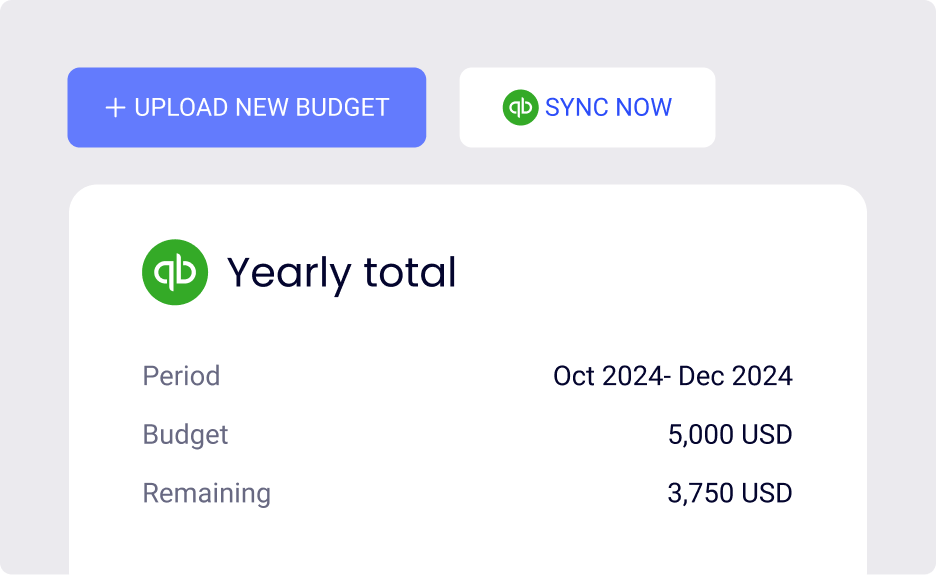
If you’re using QuickBooks Online, ApprovalMax’s new Budget Checking feature makes it easy to sync budgets from QuickBooks and manage them directly within your approval workflows. With real-time monitoring, you’ll always know where you stand financially – exactly when it matters most.
Budget Checking in ApprovalMax makes approvals easier. Whether it's a bill, purchase order, or any other expense, the system automatically checks budgets in a window right alongside your request, helping your team stay on track without extra hassle. Automating budget checks removes the need for manual comparison, speeding up the approval process and cutting down having to pull up new files or open new tabs.
Why Budget Checking helps
Budget Checking provides several benefits:
Cost control
Track spending and ensure it stays within set limits
Informed decisions
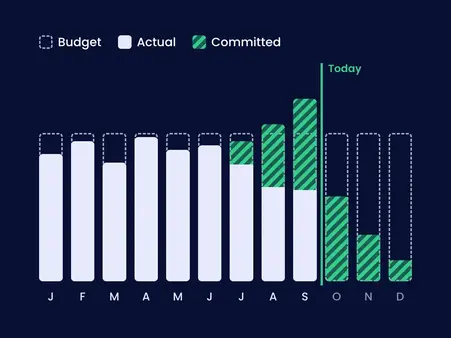
Compare budgets against actuals for better planning
Proactive oversight
Flag overspending risks early to take action fast
Accountability
Keep team members aligned with financial goals
How ApprovalMax improves budget workflows
ApprovalMax enhances QuickBooks Online’s budgeting functionality by offering:
Custom tracking: Choose from several timeframes and both net/gross calculations for better alignment to track spending patterns.
Real-time alerts: When a bill, purchase order, or expense is submitted for approval, Budget Checking automatically matches the request against the budget and instantly flags potential overspending.
Effortless syncing: Automatically sync financial data from QuickBooks into approval workflows, including bills, purchase orders, and expenses. This guarantees budgets are checked in real-time without the need for manual updates.
How to get started
Once a budget is created in QuickBooks, using ApprovalMax’s Budget Checking feature is simple:
1
Set up a budget in QuickBooks Online
Open the Financial Planning section to create or edit a budget. Currently, ApprovalMax supports Profit and Loss budgets only.
2
Enable syncing
Turn on the auto-sync in the Budget Checking settings to keep data updated.
3
Customise settings
Set your budget periods, net/gross budgets and how to handle costs without a planned amount for request.
You’re ready to go: ApprovalMax will now automatically check incoming documents against your budget during the approval process.
Whether you’re managing projects or keeping an eye on cash flow, Budget Checking in ApprovalMax keeps you on track. It automatically checks budgets during approval workflows, giving you a clear view of spending, improving decision-making, and helping you reduce the risk of overspending – all without manual effort.
ApprovalMax’s Budget Checking for QuickBooks Online is now in beta. Contact Support through the product to request access and join the beta program.
Approvalmax is an all-in-one B2B software platform used by businesses around the world to build robust AP automation, creating multiple layers of internal control. It streamlines the approval process by allowing users to create automated workflows to approve bills and invoices. ApprovalMax integrates with accounting platforms such as Xero, QuickBooks Online, and Oracle NetSuite to unlock powerful efficiencies for accounts payable and accounts receivable functions in any finance team.
Written by
ApprovalMax
Product expert
ApprovalMax is a trusted Xero, Quickbooks and NetSuite partner who helps finance teams implement structured approval workflows and financial controls across the entire Money Out lifecycle - not just at the point of payment.








 Ask Perplexity