Accounting software helps your staff work more productively at a much lower cost. Automated environments reduce processing costs by over 70% (under $3/invoice). 72% of organizations said workflow automation improved financial accuracy and compliance.
Many businesses choose either QuickBooks or NetSuite to post accounting transactions and produce financial reports. The choice is based on company size, complexity, and how quickly the firm plans to scale.
This NetSuite vs. QuickBooks guide compares software features, cost, and scalability. Use this guide to determine which platform is best for your business in 2026.
Invoice approval workflows keep spending under control and reduce fraud risk. This guide also explains how businesses can scale and control costs using approval automation.
Key Takeaways
• QuickBooks suits small to mid-size single-entity businesses. NetSuite serves companies with multi-entity, multi-currency or international needs.
• Choose your accounting software based on where your business will be in 12-18 months, not just today.
• The biggest differences are in consolidated reporting, inventory management and international operations. Pick based on which matters most to you.
• Whichever platform you choose, you still need a way to manage multi-step approval workflows.
• ApprovalMax works with both, adding structured approvals and audit trails without requiring a platform switch.
What is QuickBooks?
QuickBooks accounting software is designed for small and mid-size businesses and for self-employed users. QuickBooks Online is the cloud version of the software.
QuickBooks is easy to set up and is relatively affordable. The platform offers a good user experience and responsive customer support. Bookkeepers and accountants can quickly start completing these tasks:
Posting accounting transactions
Recording and paying vendor bills
Sending invoices to clients and collecting payments
Generating financial reports
QuickBooks provides dozens of reports to track revenue, expenses, and cash flow. The software integrates with many applications, which makes it easier to process accounting data.
QuickBooks is a great option for startups and companies in the early growth stage. As a business becomes more complex, QuickBooks may not be able to meet all of your accounting needs.
What is NetSuite?
NetSuite is a cloud-based enterprise resource planning (ERP) system. The system provides accounting, financial, and customer management tools in a single platform.
Businesses often switch to NetSuite when their accounting needs become too complex for standard accounting software packages like QuickBooks.
NetSuite can manage these accounting tasks:
Advanced reporting tools: Customized financial and management accounting reports
Multi-entity accounting: Accounting transactions separated by entity
Consolidations: Financial statements for the parent and all subsidiaries
Complex inventory and fixed asset accounting
International operations, including currency translation accounting issues
NetSuite is a fit for growing companies with complex financial and accounting needs.
Feature comparison: NetSuite vs QuickBooks
Business owners should compare features before choosing accounting software. Whether you’re just starting a business or considering a switch from QuickBooks to NetSuite, review these important features.
Accounting and financial management
QuickBooks provides a solid base for posting accounting transactions.
Users can record accounts payable and accounts receivable and review activity in the general ledger. QuickBooks has integrations with banks and credit card companies, so bank reconciliations can be automated. The software offers dozens of financial reports for management.
Small businesses have the accounting functionality they need using QuickBooks. However, firms with more complex needs should consider NetSuite.
Use advanced software to scale without creating manual work for your staff. Finance teams spend over 53% of their time on manual, repetitive work. NetSuite helps you complete advanced tasks using automation.
Users can manage revenue recognition, multi-currency accounting, and generate consolidated financial statements. Use NetSuite to scale without adding more software tools or using spreadsheets.
Inventory and supply chain
QuickBooks can manage inventory tracking, stock levels, and record the cost of goods sold.
Supply chain management has become more important, particularly for companies that operate in multiple countries. NetSuite manages purchasing, inventory, warehousing, and fulfillment for multiple locations. Manufacturers and distributors often choose NetSuite to monitor spending, cash flows, and inventory levels.
Reporting and dashboards
QuickBooks provides standard accounting reports, including the income statement (profit and loss), balance sheet, and statement of cash flows. Users can customize reports by choosing which rows and columns are used, or filter by account, customer, or vendor.
NetSuite has a Report Builder you can use to create more complex reports for specific needs. You can save reports and share them based on the permissions you set up. Specialized reports help managers make informed decisions quickly.
Multi-entity and international
Business management and forecasting are more difficult if you operate through multiple entities. Critical decisions, such as cash flow management, require information across all entities. International operations require currency exchanges and risk management.
QuickBooks can post accounting transactions for multiple companies, but the software does not provide consolidated financials in the software. To create reports, data must be exported to Excel or processed using a third-party app. This slows down the process and increases error risk.
NetSuite’s platform includes a fully automated consolidation process. Businesses can generate consolidated financials and comply with relevant accounting standards, tax laws, and regulations.
Approval workflows and financial controls
Manual approval systems lead to late or missed approvals, poor communication, lost documents, and the risk of overspending. Manual invoice processing costs $10.18 on average, a rate far more expensive than automated processing.
Automated workflows speed up approvals and reduce processing costs. Supporting documents are stored in the cloud, spending is controlled, and the risk of error is much lower.
Pricing: NetSuite vs QuickBooks
Pricing is often the deciding factor between these two platforms. Here's a quick breakdown of which businesses each one serves best and what to expect from the investment.
When to choose QuickBooks
QuickBooks is a good option for small or medium-sized businesses that don’t have complex accounting needs. The platform is affordable and provides a good user experience.
If you operate as a single entity and want to implement quickly, QuickBooks is a reasonable option. You may need to connect additional apps to QuickBooks to meet all of your accounting and finance requirements.
When to choose NetSuite
NetSuite is ideal for larger, more complex businesses that need deeper visibility into accounting and financial data.
Companies that operate through multiple entities and do business in other countries should consider NetSuite. Larger businesses also need systems that can integrate operational, financial, and accounting data in a single platform.
NetSuite is more difficult to implement, and customers will make a bigger investment in setup and training costs.
Key considerations when choosing accounting software
Your software purchasing decision impacts how you process accounting transactions and the types of financial information you can access. Think about each of these factors, and if they apply to your business.
Complexity: A business with multiple entities, international operations, or complex supply chains is probably not a candidate for QuickBooks software.
Rate of growth: QuickBooks may be able to handle your accounting now, but a rapidly growing business may need to consider NetSuite. This is particularly true if you plan to add entities or start to operate internationally.
Consolidated financials: QuickBooks does not have a fully automated process to generate consolidated financial statements.
Automated workflows: If you’re increasing the number of accounting transactions quickly, your firm needs an integrated system with automated workflows. Operations, finance, and accounting should be managed within a single platform.
Your staff is a great source of information about your current accounting system. Discuss these issues with your team before making a purchase decision.
QuickBooks vs NetSuite: Key differences based on business needs
The Oracle NetSuite vs. QuickBooks decision depends on your current business structure and company growth plans.
QuickBooks is the preferred choice for startups, small businesses, and companies that operate as a single entity. Companies with multiple entities, overseas operations, and advanced reporting needs should lean toward NetSuite.
A fast-growing business that operates using QuickBooks may quickly find that the platform doesn’t meet the accounting requirements.
The missing layer: Approval workflows for either platform
To control costs and prevent fraud, you need a system to post and approve accounting transactions.
Why approval automation matters
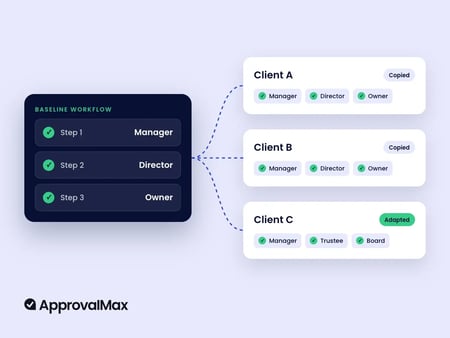
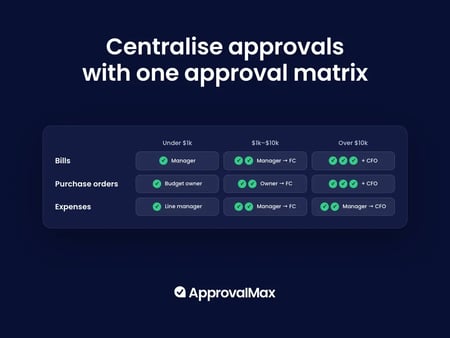
Approval automation helps your business to approve transactions faster. Team communications are smoother, and supporting documents don’t get lost. Managers have visibility to see pending approvals, so they can follow up and prevent bottlenecks.
How ApprovalMax bridges the gap
ApprovalMax adds approval workflows to many accounting platforms, including QuickBooks and NetSuite. More than 19,000 businesses use ApprovalMax, and our platform processed more than 11.62 million bills in 2024.
ApprovalMax means faster approvals and fewer errors. 25% of bills are approved within 24 hours, and 50% are approved within a day. Using ApprovalMax led to a 96% reduction in approval times and 40 hours per week in time savings, according to a customer case study.
Meshed Group explains that: “ApprovalMax also delivers a paperless environment for a fully automated approval process. And the collaboration between different departments has never been easier, now that employees don’t have to email each other for manual approvals anymore.”
Getting started
Choosing accounting software is an important first step, but you need automated approval workflows and financial controls to operate efficiently. ApprovalMax offers multi-step approval workflows and a clear audit trail for your transactions. Contact ApprovalMax to get started.
FAQs
What is the main difference between NetSuite and QuickBooks?
QuickBooks is accounting software for small to mid-size businesses. NetSuite is a full ERP that combines accounting, financial management and operations in one platform. Which one fits depends on how complex your business is and how fast you're growing.
Is NetSuite worth the higher cost compared to QuickBooks?
For businesses with multiple entities, international operations or complex reporting, the investment typically means less manual work and fewer tools to manage. For simpler setups, QuickBooks does the job at a fraction of the cost.
When should a business switch from QuickBooks to NetSuite?
The usual triggers are adding new entities, expanding internationally or needing consolidated financials. If your finance team spends more time building workarounds than reviewing numbers, that's a good signal.
Can I use QuickBooks and NetSuite together?
Most businesses run one or the other. That said, tools like ApprovalMax work with both, so your approval workflows can stay consistent even if you're mid-transition or running different entities on different platforms.
Which is better for multi-entity accounting?
NetSuite handles multi-entity accounting and consolidated reporting natively. QuickBooks can manage books for separate entities, but pulling consolidated financials together requires extra steps.
Approvalmax is an all-in-one B2B software platform used by businesses around the world to build robust AP and AR automation, creating multiple layers of internal control. It streamlines the approval process by allowing users to create automated workflows to approve bills and invoices. ApprovalMax integrates with accounting platforms such as Xero, QuickBooks Online, and Oracle NetSuite to unlock powerful efficiencies for accounts payable and accounts receivable functions in any finance team.
Written by
ApprovalMax
Product expert
ApprovalMax is a trusted Xero, Quickbooks and NetSuite partner who helps finance teams implement structured approval workflows and financial controls across the entire Money Out lifecycle - not just at the point of payment.







 Ask Perplexity