

Top Expense Management Add-Ons for QuickBooks in 2026
- What “expense management” means in a QuickBooks world?
- What QuickBooks can do for expenses
- Where expense management gets more complex
- Best QuickBooks expense management add-ons (our top picks)
- Benefits of using an expense add-on with QuickBooks
- When you need an add-on: decision framework
- How to choose the right QuickBooks expense integration (checklist)
- Final thoughts
- FAQs
If your finance team spends more time chasing receipts and correcting expense reports than actually reviewing spend, you're not alone. The average expense report takes 20 minutes to put together and costs around $58 to process. Multiply that across your entire company and the admin cost adds up fast, before a single receipt goes missing or a policy gets breached.
QuickBooks is excellent at recording expenses once they reach the ledger. But many finance teams still struggle with the steps before that: chasing receipts, checking policies, routing approvals and handling reimbursements.
That’s why QuickBooks works well with a dedicated expense management tool. The right add-on can help you organize submissions, automate approvals and give your team a clearer picture of spending as it happens.
Whether you're a solo accountant, part of a growing finance team, or managing approvals across several departments, the right setup can remove a lot of unnecessary admin.
This guide looks at the most useful QuickBooks expense add-ons and how to choose one that fits your workflow.
• QuickBooks is a strong accounting platform, but most finance teams need additional support for the steps that happen before expenses hit the ledger: approvals, policy checks and receipt management.
• The right add-on handles what happens before expenses reach the ledger: submissions, approvals, budget checks and audit trails.
• ApprovalMax adds a structured approval layer on top of QuickBooks Online, where 25% of bills are approved within 2 hours and 50% within a day.
• Not every tool does the same job. Some focus on approval workflows, others on corporate cards, others on document capture. Choose based on where your process breaks down.
• If your team is chasing receipts, approving expenses over email or spending too long on month-end, those are signs you've outgrown manual processes.
What “expense management” means in a QuickBooks world?
Expense management covers the processes used to record, approve and control business spending. In practice, it means keeping track of where money is going, making sure purchases follow company policy and recording everything correctly in the accounts.
In QuickBooks, many of these tasks are handled through integrations rather than the accounting platform alone.
The process usually includes four key parts:
Together, these steps create a clear and auditable record of business spending.
What QuickBooks can do for expenses
QuickBooks already includes several useful features for handling expenses.
Bank feeds automatically import transactions from connected accounts. The mobile app allows users to photograph receipts, while built-in categorization tools help organize spending in the ledger.
More than seven million businesses use QuickBooks worldwide, largely because it simplifies core accounting tasks. For many companies, the native expense features provide a solid starting point.
QuickBooks Online includes mobile receipt capture, real-time reporting and billable expense tracking. Mileage tracking and recurring transactions can also help automate routine entries. QuickBooks Advanced adds more workflow automation and reporting tools, which can be useful for larger teams. QuickBooks Desktop remains popular with businesses that need detailed inventory management, though it lacks the mobile flexibility of QuickBooks Online.
The platform works well for recording expenses after they occur. The challenge tends to appear earlier in the process.
Where expense management gets more complex
Accounting software is designed primarily to record transactions. Managing the full expense process is a different challenge.
One common issue is policy enforcement. QuickBooks records spending once it has happened, but it does not always stop non-compliant purchases before they occur. This can leave finance teams correcting issues afterwards.
Another challenge is receipt management at scale. As companies grow, finance teams spend more time chasing missing documentation and verifying claims. In fact, around 20% of expense reports contain errors or missing information, often caused by manual data entry.
There is also a wider financial risk. Organizations lose up to 5% of annual revenue to fraud and policy violations. Without stronger approval controls or audit trails, these problems can be difficult to spot early.
Duplicate detection and categorization can also become harder as expense volumes increase. QuickBooks may flag obvious duplicates, but identifying patterns or repeated issues often requires manual review.
None of this is a failure of the platform. It simply reflects the limits of accounting software since recording transactions and managing expense workflows are two different jobs.
Best QuickBooks expense management add-ons (our top picks)
QuickBooks works well as an accounting system, but many teams rely on add-ons to manage the full expense process. The tools below integrate with QuickBooks and help handle submissions, approvals and expense tracking more efficiently.
ApprovalMax
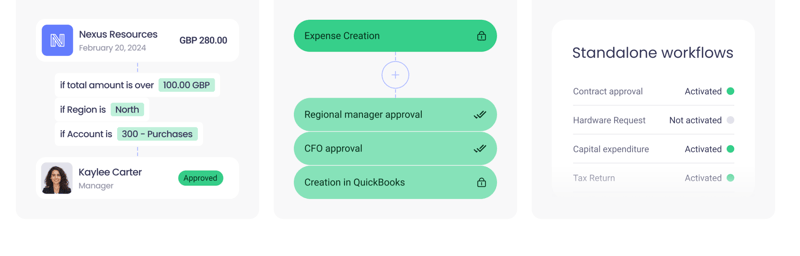
ApprovalMax adds a structured approval layer on top of QuickBooks Online, handling the workflow steps that happen before expenses reach the ledger. Expense requests are created inside ApprovalMax, routed through multi-step approvals based on value, role or department, and pushed to QuickBooks Online once approved. Every approved document gets an automatic audit trail attached.
This means that approvers do not require access to QuickBooks. Through ApprovalMax, they only ever see the information relevant to their decision - no sensitive financial data, no exposure to figures they don't need, just the context required to say yes or no.
Key features
- Multi-step, role-based approval workflows for expenses, bills, purchase orders and vendors
- Budget checking against QuickBooks Online budgets at the point of approval
- ApprovalMax Capture for extracting expense data from receipts and documents
- Duplicate bill detection based on supplier, date and amount
- Mobile app for submitting and approving requests from anywhere
Trade-offs
- Focused on approval workflows rather than end-to-end expense management (no built-in corporate cards or mileage tracking)
- Some newer features may arrive on Xero before QuickBooks Online
Expensify
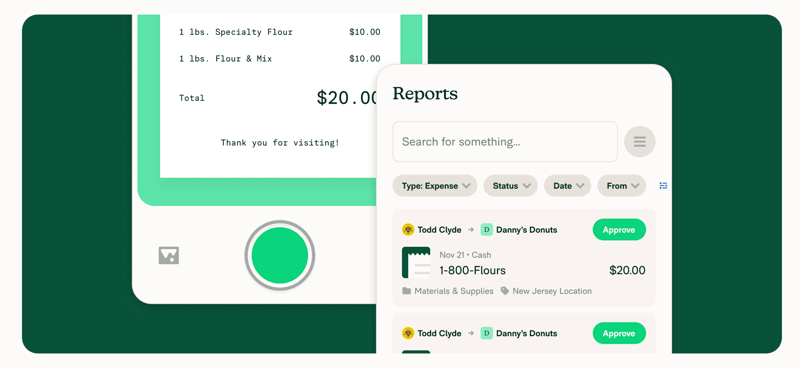
Expensify is one of the most recognised names in expense management. It integrates with QuickBooks and is especially popular with teams that deal with frequent travel or high volumes of small purchases. The SmartScan feature handles receipt capture well, and the mobile app makes it easy for employees to submit expenses without touching a desktop.
Key features
- SmartScan receipt capture and automatic data extraction
- Mobile app for submitting expenses on the go
- Automated expense categorization and reporting
Trade-offs
- Pricing changes in recent years have frustrated some long-time users
- The interface has a learning curve, particularly for employees outside finance
Ramp
Expensify is one of the most recognised names in expense management. It integrates with QuickBooks and is especially popular with teams that deal with frequent travel or high volumes of small purchases. The SmartScan feature handles receipt capture well, and the mobile app makes it easy for employees to submit expenses without touching a desktop.
Key features
- SmartScan receipt capture and automatic data extraction
- Mobile app for submitting expenses on the go
- Automated expense categorization and reporting
Trade-offs
- Pricing changes in recent years have frustrated some long-time users
- The interface has a learning curve, particularly for employees outside finance
Zoho Expense
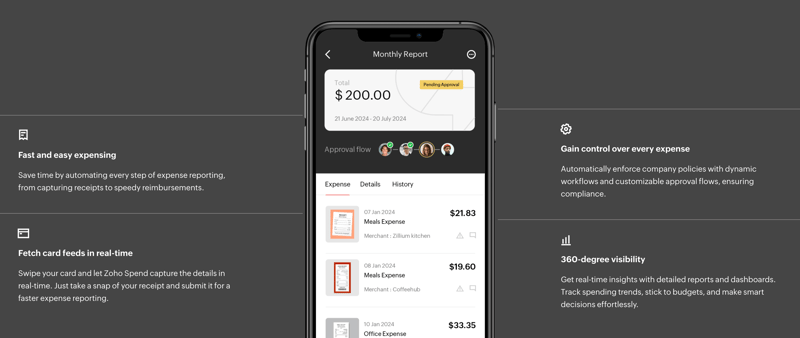
Zoho Expense is a solid choice if your business already uses other Zoho products. It integrates with QuickBooks and offers multi-level approval workflows, corporate card reconciliation and reporting tools. Where it really shines is inside the Zoho ecosystem, where data flows between Zoho Books, Zoho People and Zoho Expense without much manual work.
Key features
- Corporate card reconciliation
- Custom expense analytics and reporting
- Multi-step approval workflows
Trade-offs
- Gets the most value when paired with other Zoho products
- Some reporting features require manual configuration before they're useful
Dext
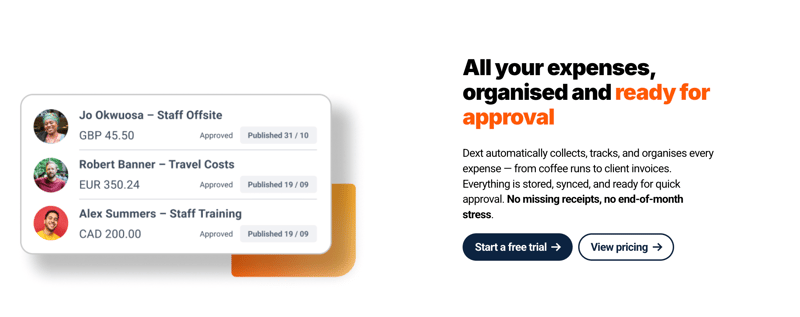
Dext is more of a document capture tool than a full expense management platform. It's designed to pull data from receipts, invoices and bank statements and turn it into clean, structured accounting data inside QuickBooks. For bookkeepers and accountants managing multiple clients, it's a strong fit. For teams that need approval workflows or spend controls, it will likely need to sit alongside another tool.
Key features
- AI-powered extraction of data from receipts and invoices
- Cloud access to financial documents from any device
- Automatic categorization to support bookkeeping accuracy
Trade-offs
- Not a full expense management solution, best for capture and categorization
- Fewer integrations than some competitors in this space
Benefits of using an expense add-on with QuickBooks
Connecting QuickBooks with an expense management tool can reduce admin work and improve visibility over company spending.
-
Cost reduction: Automation reduces the time finance teams spend reviewing reports and correcting manual entries. With tools like ApprovalMax, 25% of bills are approved within 2 hours and 50% within a day, freeing up time that would otherwise go to chasing approvals.
-
Faster reimbursements: Automated approval workflows can significantly cut reimbursement times. When expenses move through structured steps with built-in notifications, there's less waiting around for sign-off.
-
Fewer errors: Automation reduces manual data entry, which is one of the most common causes of errors and missing information in expense reports. Features like duplicate detection and budget checking catch issues before they reach the ledger.
-
Policy compliance: Spending rules can be applied during submission rather than after. For example, ApprovalMax checks expenses against QuickBooks Online budgets at the point of approval, so non-compliant spend is flagged before it's recorded.
-
Real-time visibility: Automatic syncing with accounting systems provides up-to-date insight into company spending. Finance teams can see where approvals are sitting and which expenses are still outstanding.
-
Audit readiness: Digital receipts and approval records create clear audit trails. ApprovalMax automatically attaches a full audit report to every approved document in QuickBooks, so there's nothing to compile manually when auditors come calling.
-
Better employee experience: Faster submissions and repayments reduce frustration for employees. Mobile apps let requesters and approvers act from anywhere, which keeps things moving.
-
Faster return on investment: Less manual admin means finance teams can process more expenses with the same resources. One accounting firm reported saving an average of 3.8 days per client each month after automating their approval workflows.
When you need an add-on: decision framework
Most finance teams begin by handling expenses directly inside their accounting software. For a small business, that often works perfectly well. But as the business grows, this process can become harder to manage.
If several of the following issues sound familiar, it may be time to consider an expense management Quickbooks add-on.
How to choose the right QuickBooks expense integration (checklist)
Choosing the right expense management add-on for QuickBooks can significantly improve how your team handles spending. Rather than simply recording expenses after they happen, the right tool should support your entire workflow.
When comparing options, it helps to work through a short checklist:
Final thoughts
QuickBooks gives you a solid foundation for managing your accounts. Pairing it with the right expense add-on closes the gap between recording spend and controlling it. Start with the workflow that causes the most friction, automate it, and build from there.
Most of the tools in this guide offer a free trial, so you can test the fit before committing. If approval workflows are your starting point, you can try ApprovalMax free for 14 days with no credit card required.
FAQs
How do expense add-ons sync with QuickBooks?
Most add-ons connect to QuickBooks Online through a direct API integration. Once linked, approved expenses, audit trails and supporting documents sync automatically without any manual data entry.
What's the best expense management app that works with QuickBooks?
It depends on your biggest pain point. ApprovalMax is a strong fit for approval workflows and financial controls, Ramp works well if you want corporate cards bundled with expense management, and Dext is best for receipt capture and document extraction.
What's the difference between expense tracking and expense management?
Expense tracking records what's been spent. Expense management covers the full process of submitting, reviewing, approving and controlling spend before it reaches the ledger.
Do I need an approvals tool for expenses in QuickBooks?
If you have multiple people making purchases and approvals happen through email or messages, yes. Without a structured workflow there's no audit trail, no policy enforcement and no easy way to verify who signed off on what.
Ready to Simplify Your Approval Process?
Kasia Bargielowski-Foster specializes in bridging the gap between complex product capabilities and real-world impact. Translating what a product does into why it matters, ensuring that every update is rooted in delivering genuine value to the customer.
Set up a system of checks and balances for your financial operations.
Multi-step, multi-role approval workflows for financial documents.
Auto-generated audit reports for each approved item.
Get alerts for fraudulent activity and protect against it happening.
Leave printing in the past with fully digitised workflows.