Your AP team spends 15 to 20 minutes manually entering data from a single invoice. For a team processing 500 invoices a month, that adds up to more than 125 hours of data entry. OCR for accounts payable eliminates most of that work by reading invoice data automatically and feeding it into your workflow.
Manual invoice processing costs between $10 and $40 per invoice. OCR technology reduces that to $2 to $5, a cost reduction of 60 to 80 percent (Ardent Partners, State of ePayables). This article explains how OCR works in AP, what features to look for in a solution, and how it connects to approval workflows so every invoice is both captured and controlled before payment.
What is OCR in accounts payable?
OCR (optical character recognition) is technology that reads text from scanned documents, photos, or PDFs and converts it into structured, machine-readable data. In accounts payable, OCR extracts key fields from invoices: vendor name, invoice number, date, line items, tax, and totals. The extracted data enters your accounting workflow without anyone typing it in.
This is the foundation of modern AP automation. Instead of printing, sorting, and manually keying invoice details into your accounting system, OCR handles the data capture step in seconds.
How OCR differs from manual data entry
Manual data entry is slow, expensive, and error-prone. The average error rate for manual keying is around 4 percent (IOFM). That means for every 100 invoices, four contain mistakes that need to be found and fixed later.
Modern OCR tools report 95 to 99 percent field-level accuracy for standard invoices. The cost difference is stark: manual processing runs $10 to $40 per invoice, while OCR-powered processing sits under $5 (Ardent Partners). Speed is equally dramatic. A human takes 15 to 20 minutes per invoice. OCR takes seconds.
However, accuracy in practice varies. Only 8.8 percent of enterprises cross 90 percent OCR accuracy in their accounts payable automation, according to a 2025 report by Avaali. This gap between vendor claims and real-world performance is why validation and workflow controls matter just as much as the OCR engine itself.
How OCR invoice processing works (step by step)
The OCR process in accounts payable follows five stages. Each one builds on the previous, moving an invoice from paper (or PDF) to approved payment.
Step 1: Document capture
Invoices arrive by email, scan, upload, or mobile photo. The OCR system ingests the document regardless of format. PDF, image, or scanned paper all work. Some solutions accept invoices forwarded directly from a dedicated email address, which means the AP team does not need to manually upload anything.
Step 2: Text recognition and extraction
The OCR engine identifies text regions on the document and extracts key fields: vendor name, invoice number, date, individual line items, tax amounts, and the total. Modern systems use machine learning to handle different invoice layouts without needing pre-built templates. This means they can read invoices from new vendors on the first attempt.
Step 3: Data validation and matching
Extracted data is cross-referenced against your vendor records, purchase order numbers, and existing invoices in the system. Discrepancies get flagged. Duplicate invoices are caught before they enter the workflow.
This is where strong accounts payable controls make the difference. Validation rules prevent incorrect or fraudulent invoices from progressing.
Step 4: Routing into the approval workflow
This is where most AP OCR tools stop. They extract the data and hand it off. But the strongest solutions go further: validated invoices are automatically routed to the right approver based on amount, department, vendor, or cost center.
This step connects OCR to approval workflows . Without it, you have fast data capture feeding into a slow, manual approval process. The bottleneck just moves.
Step 5: Export to your accounting system
Approved invoices sync to your accounting platform (Xero, QuickBooks Online, or NetSuite) with all data intact. No re-keying. The GL coding applied during the approval step carries through to the accounting system automatically.
Why AP teams are adopting OCR in 2026
Four factors are driving adoption. Each one addresses a real cost that AP teams face daily. (For a broader look at available tools, see our guide to the best accounts payable automation software.)
Cost reduction
Manual invoice processing costs $10.18 per invoice on average (Ardent Partners, State of ePayables). Automated environments reduce that by over 70 percent, bringing the cost under $3. For a team processing 1,000 invoices per month, that is over $7,000 in monthly savings.
Speed and throughput
OCR processes an invoice in seconds. Manual entry takes 15 to 20 minutes. The downstream impact is equally significant: best-in-class AP teams achieve invoice cycle times under 3 to 4 days, compared to 9.2 days for the average team (Ardent Partners).
Accuracy and error reduction
Manual keying has a 4 percent error rate. OCR achieves 95 to 99 percent field accuracy on standard invoices. But the real gain comes from what happens after capture. Duplicate detection, PO matching, and budget checking catch errors that even perfect data entry would miss.
The Avaali report finding that only 8.8 percent of enterprises achieve 90 percent or higher OCR accuracy reinforces an important point. Accuracy alone is not enough. You need validation rules and workflow controls to close the gap between capture and payment.
Audit readiness
Every OCR-captured invoice creates a digital record: a timestamp, extracted data fields, approval history, and any notes added during review. This makes audits faster and eliminates the "find the paper invoice" problem.
A complete accounts payable audit becomes straightforward when every document has a searchable, timestamped digital trail.
What to look for in OCR software for accounts payable
Before comparing specific invoice OCR software options, define what matters for your team. These six criteria separate tools that work from tools that create new problems.
Field-level accuracy
Can the solution extract both header fields (vendor, date, total) and individual line items reliably? Look for vendors that publish straight-through processing (STP) rates, not just accuracy percentages. STP rates of 60 to 80 percent are the current benchmark for well-configured systems.
Integration with your accounting system
Does the tool connect directly to Xero, QuickBooks Online, NetSuite, or Sage? Two-way sync matters. Data should flow from the OCR system to your accounting platform and back. If you need to export a CSV and import it manually, the tool is not solving the problem.
Workflow and approval routing
Does the OCR tool feed into an approval workflow, or does it extract data and stop? The best solutions connect capture to approval to payment in one flow. If you need a separate approval tool, you are adding complexity and cost.
Duplicate detection and fraud controls
Can it flag duplicate invoice numbers, suspicious amounts, or bank detail changes? These controls prevent costly errors before they reach payment. Audit and fraud control features are essential for any AP team handling significant invoice volume.
Multi-currency and multi-entity support
If you operate across borders or manage multiple entities, the OCR tool needs to handle different currencies, tax formats, and entity-specific GL coding. Not all solutions support this well.
How ApprovalMax Capture fits into your AP workflow
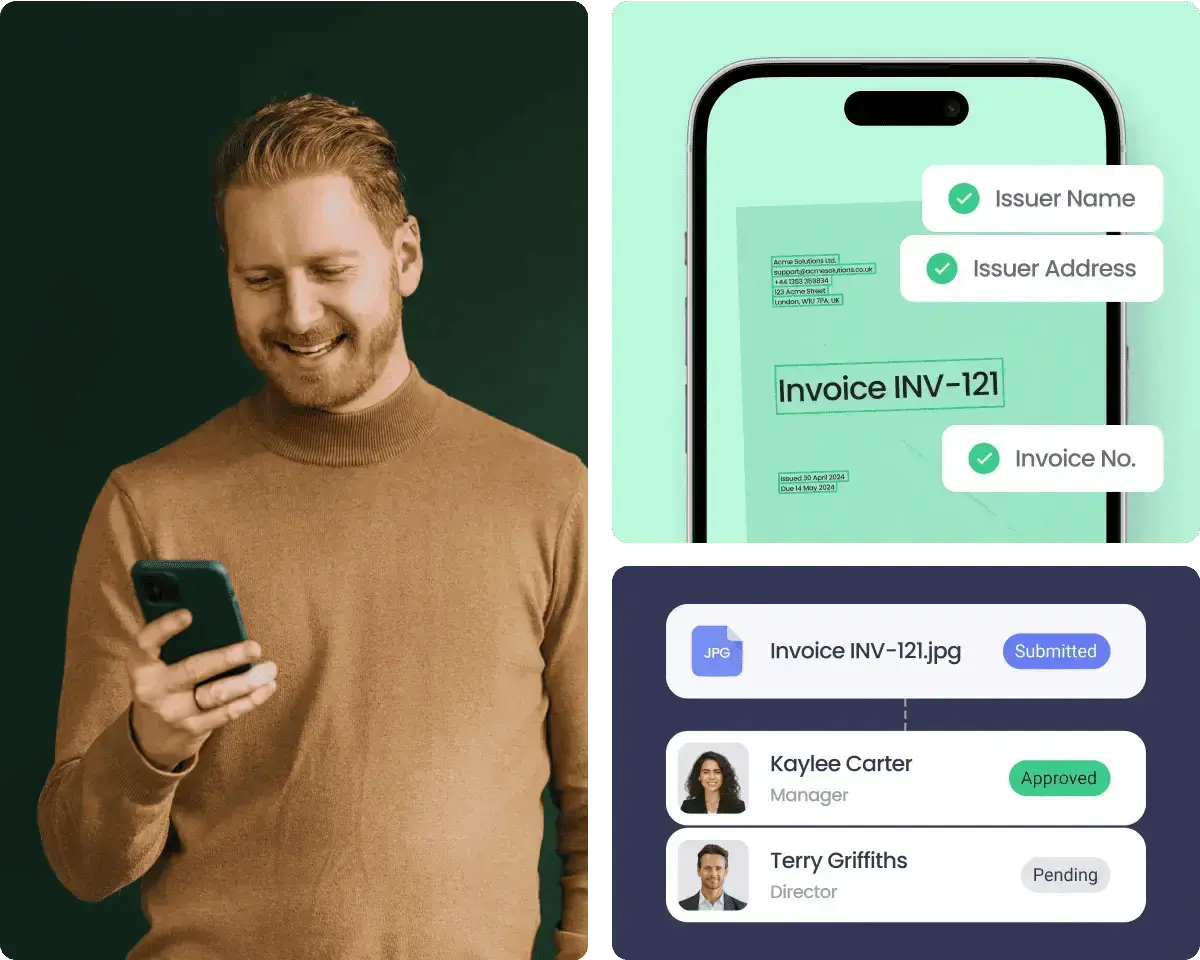
ApprovalMax Capture is the built-in invoice data extraction tool inside ApprovalMax. It reads invoice data using OCR and feeds it directly into your approval workflow. There is no gap between capture and approval.
Built-in OCR data extraction
ApprovalMax Capture extracts vendor name, invoice number, date, line items, and totals from uploaded invoices. It works with PDFs, scans, and photos. Bills enter the approval workflow before syncing to your accounting system, so nothing reaches the GL without proper review.
A new bill enters the ApprovalMax workflow every 2.72 seconds. Over 11.62 million bills were processed through the platform in 2024 (ApprovalMax platform data).
Approval routing after capture
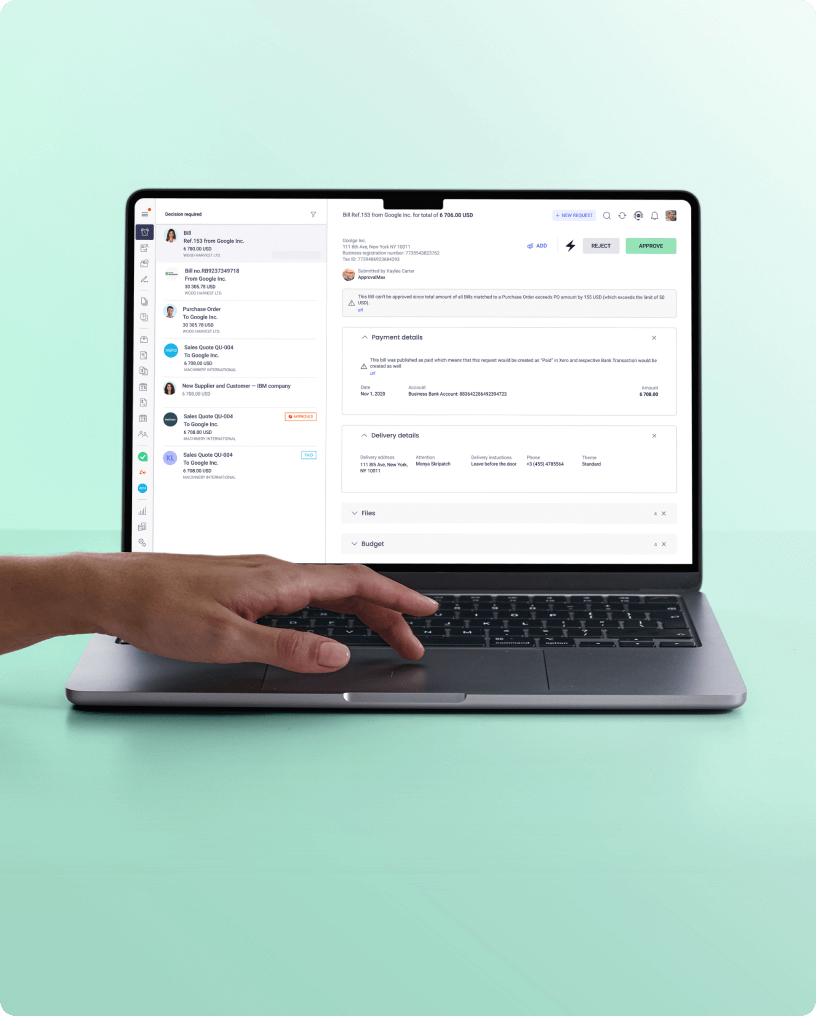
Once captured, invoices route automatically based on rules you set. Amount thresholds, departments, vendors, cost centers: each can trigger different approval paths. Multi-step workflows handle complex approval chains with parallel and sequential routing.
Approvers act from any device. They do not need access to your accounting system. Auto-substitution prevents delays when an approver is unavailable. This is how invoice approval workflows () should work: invoices move forward, not sideways into someone's inbox.
Duplicate detection and budget checking
ApprovalMax checks for duplicate invoice numbers and amounts before an invoice reaches an approver. Budget threshold alerts flag invoices that would push a cost center over budget. Bank detail changes are flagged automatically.
These controls work alongside OCR, not as a separate step. The invoice is captured, validated, and controlled in one workflow.
Works with Xero, QuickBooks Online, and NetSuite
Direct API connections to Xero, QuickBooks Online, and NetSuite provide two-way sync. Approved data flows straight into your accounting system. ApprovalMax is a top-rated Xero app in Australia and the UK and is listed on the Intuit App Store.
A free trial is available. Visit approvalmax.com/pricing for current plans.
"The implementation was straightforward. We went live within days." — BMI Group, ApprovalMax customer.
Manual vs OCR-powered accounts payable
| Factor |
Manual AP |
OCR-powered AP |
| Cost per invoice |
$10 to $40 |
$3 to $5 |
| Processing time per invoice |
15 to 20 minutes |
Seconds |
| Error rate |
Approximately 4% |
Under 1% with validation |
| Average invoice cycle time |
8 to 9 days |
3 to 4 days (best-in-class) |
| Duplicate detection |
Relies on human memory |
Automated flagging |
| Audit trail |
Paper files and email chains |
Digital, timestamped, searchable |
| Scalability |
More invoices means more staff |
Handles volume without added headcount |
| Approval routing |
Manual forwarding and chasing |
Rules-based automation |
Frequently asked questions
What is OCR in accounts payable?
OCR (optical character recognition) reads text from invoices and converts it into structured data. In accounts payable, it extracts vendor details, amounts, dates, and line items so they can be processed without manual data entry. The technology works with PDFs, scans, and photos.
How accurate is OCR for invoice processing?
Modern OCR tools report 95 to 99 percent field-level accuracy. However, only 8.8 percent of enterprises achieve 90 percent or higher accuracy in practice (Avaali, 2025). Pairing OCR with validation rules and approval workflows significantly improves end-to-end accuracy.
Can OCR replace manual data entry completely?
For most standard invoices, yes. Complex or non-standard documents may still need human review. The practical goal is straight-through processing (STP) rates of 60 to 80 percent, with humans handling only the exceptions.
What is the difference between OCR and AI invoice processing?
Traditional OCR reads text using pattern recognition. AI-powered invoice processing (sometimes called intelligent document processing, or IDP) adds machine learning to understand document layouts, extract data from unstructured formats, and improve accuracy over time. Most modern AP solutions combine both approaches.
How does OCR connect to approval workflows?
OCR captures the invoice data. An approval workflow then routes the validated invoice to the right approver based on rules you define: amount, vendor, department, or cost center. Together, they automate the full journey from paper invoice to approved payment. Without the workflow step, OCR is fast data entry feeding into a slow manual process.
OCR for accounts payable is no longer optional for teams processing more than a few hundred invoices a month. The technology has matured, costs have dropped, and accuracy is high enough to trust for most standard documents.
The teams that benefit most connect OCR capture directly to approval workflows. Every invoice is captured, validated, and controlled before payment. No manual forwarding. No approval gaps. No audit surprises.
See how ApprovalMax Capture works with your accounting system.






 Ask Perplexity